
Both a VPN and a proxy let you visit a website using a different IP address. So what’s the difference, and which one should you choose? This guide compares how they work, when to use each one, and what to check before paying for a plan.
What Is a VPN?
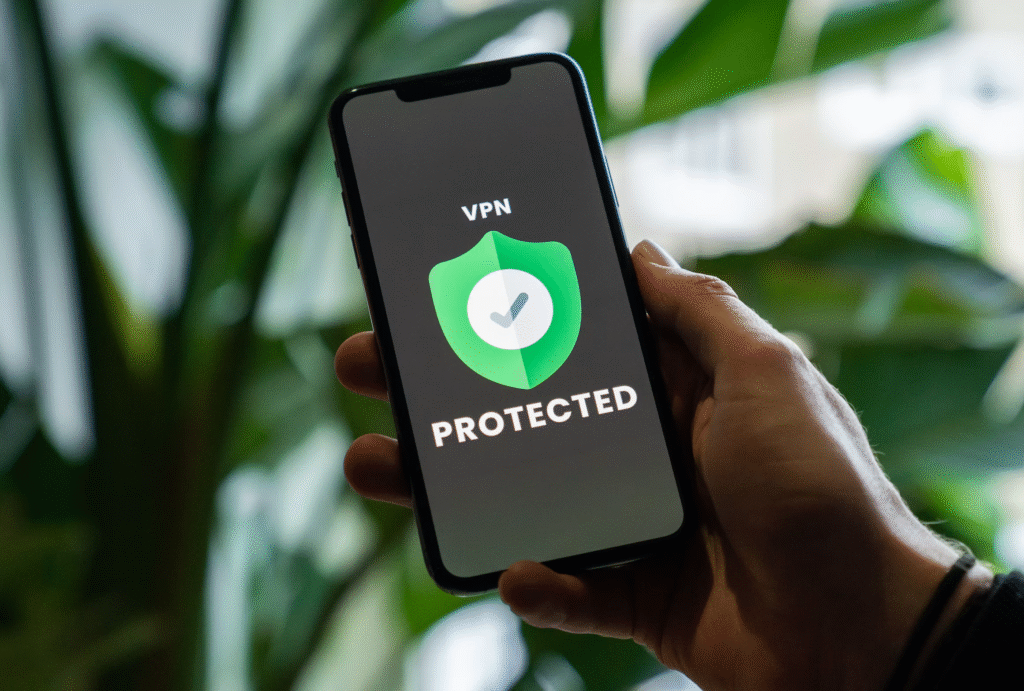
A VPN, or virtual private network, creates an encrypted connection between your device and a VPN server. Think of the server as an extra stop on the way to a website. If you connect to a VPN server in Canada and then open a website, the site usually sees the Canadian server’s IP address. Anyone monitoring your local network has a harder time seeing what you send through the VPN.
How Does a VPN Work?
When you turn on a VPN, the VPN app sends your traffic through an encrypted tunnel to the VPN server. The server forwards your request to the website, and the response comes back through the same route.
The VPN tunnel protects the connection between your device and the VPN server. If the website uses HTTPS, that adds a separate layer of encryption between your browser and the website.
A full-tunnel VPN routes your internet traffic through the VPN by default, including traffic from your browser, email app, and other apps. Split tunneling lets you send selected traffic through the VPN while the rest uses your regular internet connection.
Common VPN Use Cases
- Using public Wi-Fi. At an airport, hotel, or café, a VPN encrypts the traffic it carries while you’re connected to the shared network.
- Accessing work systems remotely. A company VPN can give authorized employees access to internal tools, dashboards, or file servers when they’re away from the office.
- Browsing from another region. You can choose a VPN server in another country to see whether a website shows different content there. Some services also use your account region or other location signals.
Benefits and Limitations of VPNs
With a full-tunnel VPN, you can encrypt traffic from your browser, email client, and other apps in one step. You connect once, and those apps use the same VPN server.
The downside of sharing one connection is that those apps typically use the same server location. If you need to see how a website appears in the US and Germany, you’ll usually have to switch servers between checks. To check both locations at the same time, you’ll need to set up separate VPN connections. A VPN can also slow down your connection, especially if the server is far away or busy.
What Is a Proxy Server?

A proxy server is a server that forwards requests between an app and a website. When you set up a browser to use a proxy, the browser sends its requests through that server. The website usually sees the proxy IP address as the source of the connection.
For example, a marketing team can set up one browser to use a German proxy and check how a landing page appears in Germany. The website sees the German proxy’s IP address, while the team’s email client and other apps continue to connect through their usual public IP address.
How Does a Proxy Work?
When you open a page, your browser sends the request to the proxy server. The proxy connects to the website and passes the response back to your browser.
Your browser → Proxy server → Website
If you visit an HTTPS website through a standard HTTP proxy, the proxy can open a tunnel for the connection. Your browser still uses HTTPS to encrypt the connection to the website. The proxy determines the route, while HTTPS protects the contents of the connection.
Common Proxy Types
Proxies can be classified in three ways: by their connection protocol, proxy type, and whether the IP is shared or dedicated.
- Connection protocol: An HTTP proxy handles web traffic, while a SOCKS5 proxy can carry a wider range of traffic, depending on what the app supports.
- Proxy type: Residential proxies use IP addresses from home internet connections, and many plans rotate between those addresses. A static residential proxy, often sold as an ISP proxy, uses a fixed ISP-registered IP. A datacenter proxy uses an IP address from a datacenter network.
- IP access: A shared proxy lets multiple customers use the same IP address. A dedicated proxy reserves that IP for one customer.
These labels can appear together. In “dedicated static residential proxy with SOCKS5 support,” dedicated tells you who can use the IP, static residential tells you what kind of IP you get, and SOCKS5 tells you how your app connects.
Common Proxy Use Cases
Proxies are useful when you need to see what users in another location see or make requests from a consistent IP address.
- SEO rank tracking. Check where your website ranks for the same keyword in different cities or countries.
- Ad verification. View an ad from its target market and confirm that it shows the intended offer and leads to the right landing page.
- Website localization testing. Open your site from different markets to check whether it displays the expected language and currency or redirects visitors to the correct regional page.
- Authorized web data collection. Collect product prices or stock information from regional storefronts you have permission to monitor.
- Multi-account management. Teams that manage accounts for multiple brands or clients can use separate browser profiles to keep logins and cookies organized.
Benefits and Limitations of Proxies
The main benefit is control over how each task connects. A team can assign different proxy locations to different browsers, choose a fixed IP for repeat testing, or rotate residential IPs to sample several connections within the same market.
The trade-off is that each app or tool needs its own proxy setup. Some apps lack built-in proxy support, and managing settings across several tools takes extra work.
VPN vs. Proxy: Key Differences at a Glance
A VPN and a proxy both route traffic through an intermediary server. A website usually sees the VPN or proxy’s exit IP address as the source of the connection. If that IP is in another country, the site may show a different version of its content.
The main differences become clearer when you look at how each tool handles your traffic, what control you have over the exit IP, and how you pay for it.
- Traffic coverage and setup. A full-tunnel VPN can route traffic from your browser, email client, and other apps through one connection. Some VPNs offer split tunneling so selected traffic can use your regular connection. A proxy is typically configured for a specific browser, app, or script and handles traffic from that tool.
- Encryption. A VPN encrypts traffic between your device and the VPN server. With a proxy, encryption on the connection to the proxy server depends on the protocol and setup. HTTPS can protect the connection between your browser and the website when you use either tool.
- Location and IP control. A typical consumer VPN connection uses one exit location at a time. With proxies, you can configure different browsers or jobs to use different exit locations at the same time. Some VPNs and proxies offer dedicated IPs. Proxy plans can also let you keep an IP for a single session or rotate between IPs.
- Pricing. Consumer VPNs commonly charge a flat subscription fee. Proxy plans are often priced by data usage or by the number of IP addresses you need.
What about speed? Both can add latency because traffic takes an extra step through a server. The network route and server load affect both. The VPN protocol or the type of proxy can also affect performance. If you’re comparing the two for an automated workflow, measure both the response time of individual requests and the time it takes to finish the entire job.
Build a full proxy knowledge framework — from core principles to protocol selection
When Is a Proxy Better Than a VPN?
A VPN is a good fit when you want several apps to use the same encrypted connection. A proxy can be more useful when only one app needs a different connection, or when different tasks need different IP addresses. That applies to everyday browsing as well as business and technical work.
When Only One App Needs a Different Connection
If you want to browse through an IP in another country, you can configure a single browser to use a proxy while your email, video calls, and other apps keep their regular connection. Some VPNs offer split tunneling for a similar setup. A proxy is especially useful if you want two browser profiles to use different locations at the same time, provided your browser supports separate proxy settings.
When You Need to See What Users in Different Markets See
An ecommerce team can check whether a checkout page shows the right currency and shipping options in each market. An ad team can verify that a campaign leads to the intended regional landing page. If you only need to check one location occasionally, switching VPN servers may be enough. For recurring checks, proxies let you keep a separate connection for each market and compare the results at the same time.
When You Run Web Scraping or Other Automated Jobs
A proxy lets a supported script specify its own connection settings. For example, a team collecting authorized pricing data can assign a region to each storefront job. A QA team can use the same approach to test regional redirects on its own website. If one job needs to be rerun or moved to a different endpoint, the other jobs can keep their existing settings. With a typical consumer VPN, running jobs through several locations at once generally requires additional network configuration.
When You Need the Same Exit IP Across Sessions
A static proxy can give a business workflow a consistent exit IP. For example, a team can use one approved IP to access a partner API, or assign a fixed IP to the browser profile it uses to manage a client account. A VPN with a dedicated IP can also provide a consistent address. A proxy becomes more useful when you need to assign that address to one specific tool or profile while other work uses a different connection.
Before buying, identify what matters for your task. For regional checks, confirm that the plan covers the countries or cities you need. For automation, check that your tool supports proxy settings and run a small batch first. If the same IP must work across sessions, look for a static IP and check how long the provider keeps it assigned to you.
What to Test Before Buying a Proxy Plan
If a provider offers a trial, use it to run a small version of your actual task in the browser or tool you plan to use. What you test depends on whether you need a fixed IP, a sticky session, or enough capacity to run a batch of requests.
- Static IP. Check your public IP through the proxy, close your browser or tool, and reconnect later using the same proxy settings. Check whether the IP is still the same. If you’ll rely on that IP long term, ask whether it stays assigned to you when you renew and what happens if your plan expires.
- Sticky session. Run one complete task, such as checking a localized storefront from the product page through checkout. Check the exit IP at the start and end using the same proxy session. If the IP changes before you finish, compare how long the task takes with the provider’s supported session duration.
- Batch jobs. Run a small batch of authorized requests using your actual tool and target locations. Record how many requests return usable results, how long the full batch takes, and how much data it uses. For a price-monitoring job, a page only counts as a usable result if it shows the product price in the expected currency. If the plan charges by bandwidth, use the trial’s data usage to estimate how much your regular runs will cost.
Why Choose IPFLY Proxies?
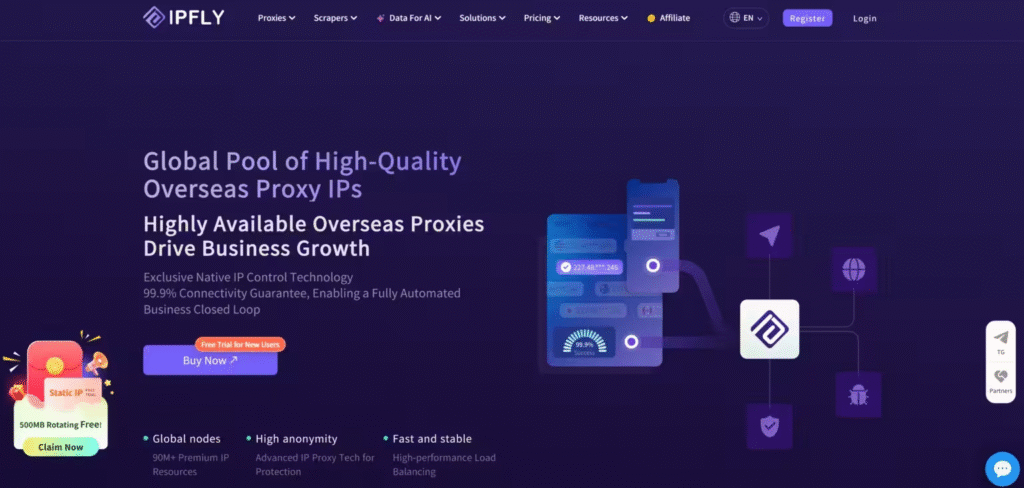
IPFLY offers rotating residential, static ISP, and datacenter proxies, so you can use a different setup for each task. Check how a campaign appears across several markets, keep the same IP for recurring work, or run routine automated checks through a dedicated datacenter IP. All three proxy types support HTTP, HTTPS, and SOCKS5 for compatible browsers, scripts, and automation tools.
- 90M+ residential IPs across 190+ countries and regions. Use IP rotation to sample different residential connections or a sticky session to keep the same IP during a multi-step check. IPFLY also offers city-level targeting for tasks such as local SEO monitoring and ad verification.
- Dedicated static residential IPs with unlimited bandwidth. IPFLY’s static ISP proxies keep the same IP for the duration of your plan and reserve it for your use. That’s useful when a partner API requires an approved IP or when you want to repeat a test from the same address.
- Dedicated datacenter IPs with unlimited bandwidth. Use them for recurring tasks such as checking links, testing redirects, or monitoring your own site. They’re a good fit when the job calls for a fixed IP and can run from a datacenter connection.
VPN vs. Proxy FAQs
What is the difference between a VPN and a proxy?
A VPN encrypts traffic between your device and the VPN server and can cover multiple apps. A proxy usually routes traffic from a specific browser, app, or script.
Is a proxy faster than a VPN?
It depends on the network route and server load. Proxies can help finish multi-region checks sooner by running them in parallel.
Can you use a VPN and a proxy at the same time?
Yes. If your browser connects to a proxy through a VPN, websites generally see the proxy’s IP address.
What’s the difference between a dedicated VPN IP and a static proxy IP?
Both can provide a consistent IP. A dedicated VPN IP applies to traffic using the VPN tunnel, while a static proxy IP typically applies to the app configured to use it.
Is a VPN or a proxy better for web scraping?
A proxy is usually more practical for authorized web scraping across multiple regions because each job can use its own location.
Conclusion
Choose a VPN if you want one encrypted connection for everyday use across multiple apps. Choose a proxy if you need to control the connection for a particular browser, app, or script, especially when you’re testing multiple markets at once or assigning a fixed IP to a recurring job.
If a proxy fits your workflow, IPFLY offers rotating residential proxies for regional sampling, static ISP proxies for work that needs a consistent IP, and datacenter proxies for routine automated checks.