
The same website can show different prices, offers, or search results depending on where you connect from. Residential proxies let you check what visitors in another market see by routing your requests through a residential IP address in that location.
The right setup depends on the job. Comparing prices across cities calls for different IPs, while checking the same landing page after each update may call for a fixed one. This guide explains how residential proxies work, what to look for in a provider, and how to set up and test an IPFLY proxy with your own workflow.

What Is a Residential Proxy and How Does It Work?
A residential proxy routes your internet traffic through a residential IP address, the kind an internet service provider (ISP) assigns to a home internet connection. When you visit a website through a residential proxy, the website sees the proxy’s residential IP as the source of the request.
Your device → Proxy gateway → Residential connection → WebsiteYour device sends a request to the proxy gateway. The gateway forwards it through a residential connection, and the site’s response travels back to you along the same path. The IP address the website sees is called the exit IP.
For example, suppose you manage separate social media accounts for your brand’s US and UK teams. You can open each account in its own browser profile and use a residential proxy in the corresponding region. When you open the UK account, the platform sees a UK residential IP as the source of the connection.
Residential Proxy Options Explained
When choosing residential proxies, consider how their IPs change, whether they are exclusive to you, and which protocols they support. These features can be combined within the same service.
Rotating vs. Static Residential Proxies
Rotating residential proxies switch between IP addresses in a pool, either with each request or at set intervals. They are useful for web scraping, price monitoring, and collecting data across different markets. For tasks that require several steps using one IP, many providers offer sticky sessions. These temporarily keep the same exit IP, although it may change early if the residential connection goes offline.
Static residential proxies, also known as ISP proxies, provide a fixed exit IP for repeated use during your service period. They suit ongoing tasks such as accessing a brand’s social media account from the same browser profile. Check whether renewal lets you retain the same IP.
Dedicated residential proxies reserve IP addresses for one customer, giving you more control over their use. They are useful when your workflow requires an exclusive IP.
Shared residential proxies allow multiple customers to use the same IP addresses. They are often more affordable, though other customers’ activity can affect an IP’s reputation. A static IP can be dedicated or shared, so check the plan’s terms before buying.
HTTP(S) vs. SOCKS5 Support
HTTP stands for Hypertext Transfer Protocol, the protocol used to exchange web content. HTTPS is its secure version. HTTP(S) proxies handle web requests and are commonly used for browsing and web scraping.
SOCKS5 stands for Socket Secure version 5. It forwards network traffic for a wider range of applications and supports TCP and, where available, UDP. Actual support depends on both the provider and your software.
Many residential proxy services support both options. Choose the protocol compatible with the browser, scraper, or application you plan to use.
When Should You Use Residential Proxies?
Residential proxies are useful when you need IP addresses from residential networks to collect regional data, check localized content, or maintain a consistent connection. The right type depends on whether your task benefits from IP rotation or repeated use of the same IP.
| Use Case | How Residential Proxies Help | Recommended Type |
| Web Scraping & Market Research | Collect publicly available data across websites and markets. | Rotating residential proxies, with sticky sessions for tasks that require several steps. |
| E-commerce & Price Monitoring | Track regional prices, product availability, and shipping options. | Rotating residential proxies, with sticky sessions to keep location consistent during each check. |
| SEO Monitoring | Review search rankings and competitor visibility from different locations. | Rotating residential proxies with targeting for the required regions. |
| Ad Verification | Check regional ad creatives, placements, and landing-page redirects. | Rotating residential proxies with sticky sessions for each complete check. |
| Social Media & Multi-Account Management | Give each browser profile a consistent connection for managing authorized accounts. | Dedicated static residential / ISP proxies for repeated use of the same IP. |
| Localization & Website Testing | Check how language, currency, offers, and page behavior vary by market. | Rotating residential proxies for broad regional checks, or static ISP proxies for repeated tests from one IP. |
Start with the locations and session length your task requires, then test the proxy on your target websites. If datacenter proxies already provide the access and coverage you need, they may offer a more economical option.
How to Evaluate a Residential Proxy Provider
A residential proxy provider should fit your target locations, session needs, and budget. Before choosing a plan, check how the network is sourced, whether it supports your workflow, and what you will actually pay.
IP Sourcing and User Consent
Look for a clear explanation of where the residential IP addresses come from. Providers should explain how participants agree to share their internet connection, what they receive in return, and how they can stop sharing.
If a provider mentions an audit or certification, check which parts of its operations were reviewed and when. These details help you assess the evidence behind its sourcing claims.
Location Coverage and Session Reliability
Check whether the residential proxy network covers the countries or cities your task requires. Confirm that these locations are available in your plan and whether more precise targeting costs extra.
Then consider how long you need to keep the same IP. For rotating residential proxies, check sticky session limits and test whether the connection lasts through your workflow. For static ISP proxies, confirm IP availability and whether you can retain the address when renewing.
Build a full proxy knowledge framework — from core principles to protocol selection
Pricing, Traffic Expiry, and Support
Compare residential proxy pricing against your expected usage. Check the initial purchase amount, subsequent top-up requirements, and any additional charges for location targeting. For plans billed per GB, calculate the effective rate at the volume you expect to buy.
Also check whether unused traffic expires or rolls over. A smaller package with flexible validity may suit occasional work, while regular usage may justify a larger plan.
Finally, review the setup documentation and contact support with a specific configuration question. A clear answer can help you judge how easily you will get assistance when a connection fails or your requirements change.
How IPFLY Fits Your Residential Proxy Needs
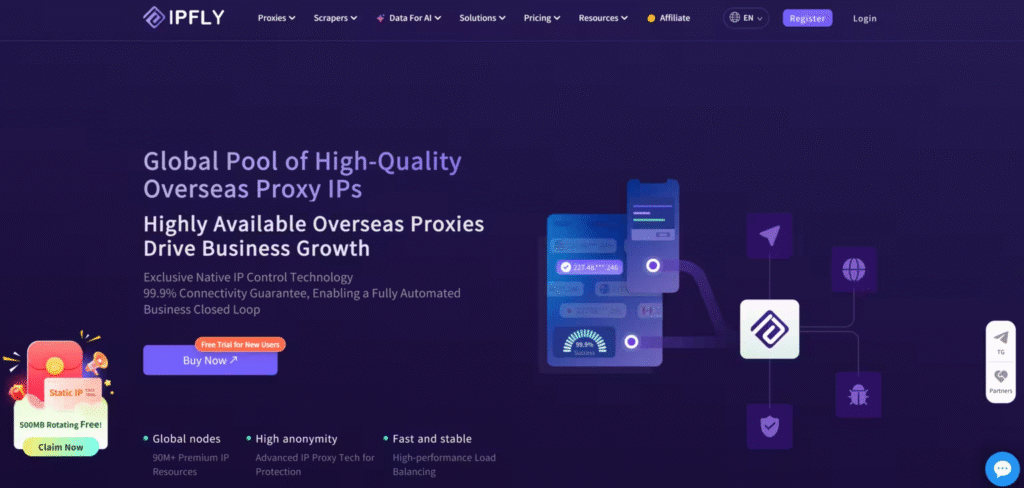
Once you know where you need to connect and how long you need to keep the same IP, you can choose the IPFLY option that fits your workflow.
Rotating Residential Proxies for Multi-Location Checks
IPFLY’s rotating residential proxy network includes 90M+ residential IPs across 190+ countries and regions, with country, state, and city targeting. If you’re verifying a campaign in Chicago and Toronto, you can select each city and check whether the landing page displays the correct currency, offer, and destination for that market.
Use IP rotation to repeat independent checks from different residential IPs in the same city. Use a sticky session when you need to keep the same IP across several steps, such as opening the landing page, following a redirect, and confirming the final offer. Start with the city that matters most to your campaign and run through the full workflow before expanding to other markets.
Pay-as-you-go plans start at $1 per GB, and unused traffic doesn’t expire. You can test one market first and use the remaining traffic as you expand to other locations.
Static Residential Proxies for a Consistent IP
If you need to check the same US landing page from the same IP after each update, IPFLY’s static residential proxies give you a dedicated IP that stays the same throughout your purchased term. If the broadband provider matters for your workflow, IPFLY also offers US static residential proxies on Comcast’s network.
Static residential proxy plans start at $2.50 per IP and include unlimited bandwidth. IPFLY’s static ISP proxies support TCP and UDP. If you need a Comcast IP, check its price and availability in your target location and confirm that the plan supports the protocol your application requires.
Explore IPFLY’s rotating residential proxies for multi-location checks, or view static residential proxies if you need a dedicated IP that stays the same.
How to Set Up and Test IPFLY Residential Proxies
Once you’ve chosen a residential proxy plan, configure it in the browser or application you’ll use for your project. Then verify the exit IP and run a short test with your actual workflow.
- Get your proxy details. In the IPFLY dashboard, select your target location and choose IP rotation or a sticky session when generating a rotating residential proxy. If you purchased a static residential proxy, copy the connection details for your assigned IP.
- Configure your browser or application. Select the proxy protocol supported by your plan, enter the host and port, and add your proxy username and password if required. Save the settings and connect.
- Check your exit IP. If you configured the proxy in a browser, open an IP checker such as IPFighter in the same browser profile. Check the public IP address, reported location, and ISP. IP checkers use different data sources and classification methods, so details such as the reported city, ISP name, and IP type can vary. Use these results as a reference.
- Test your actual workflow. Run a short task in the browser or application you’ll use for the project. For example, open a localized landing page and confirm that it displays the expected offer. If you’re using a sticky session, check that the exit IP stays the same as you follow the page’s redirect.
Frequently Asked Questions About Residential Proxies
Does a residential proxy change my browser’s language or currency settings?
A proxy changes your public IP. Websites may still use your browser language, cookies, or account settings to decide what to display.
Will a proxy configured in one browser affect my other apps?
A proxy set up in one browser profile typically applies only to that profile. Other apps use their own settings or follow your device’s network configuration.
Do residential proxies use more data when loading images and videos?
Yes. Images and videos count toward your proxy traffic when they load through the proxy. If you pay by the gigabyte, test a few representative pages to estimate usage.
Can I change locations with a dedicated static residential IP?
A dedicated static IP is assigned to a specific location. If you need a different location, check whether your provider lets you switch to another IP or requires a separate purchase.
Choose the Right Residential Proxy for Your Workflow
Start with where you need to connect and how long you need to keep the same IP. Rotating residential proxies work well for checks across markets, with sticky sessions to keep one IP through a multi-step task. If you need to return to the same IP over time, choose a static residential proxy.
Once you know which type fits, compare providers on IP sourcing, coverage, and pricing. Then choose an IPFLY rotating residential plan or a dedicated static residential plan, verify your exit IP, and run a short test with your actual workflow.